Telling Technology · Learning in public
All episodes
EP.52 — SLACK SEAT
A new channel, the same one guardrail

I gave my AI a Slack seat — and it still can't send a word without me

It can read every channel, follow any thread, and search the whole workspace. It can compose the perfect message. And then it stops, prints it, and waits for me to type four characters.
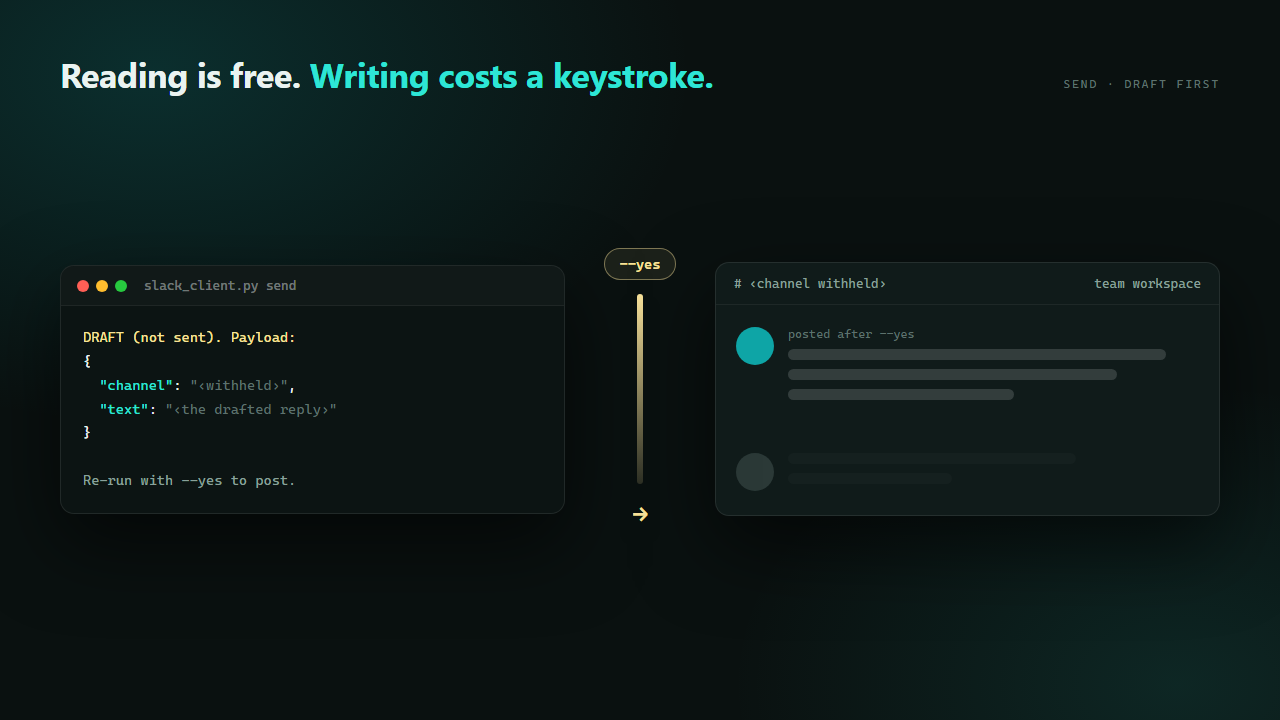
A composed message held behind a gate in a terminal, with the same message shown landing in a chat channel only after a confirmation flag is typed
⌁ slack_client.py · 259 lines · 8 commands · 1 that needs permission
Reading is free. Writing costs a keystroke.
01 Where the work actually is

My AI already had Telegram. Slack is where the decisions live.

The Telegram bot has been the AI's mouth for months — it pings me at 20:30, takes orders from the couch, hands work back in the morning. But Telegram is a channel between me and it. Nothing else happens there. Slack is where a decision gets made in a thread on a Tuesday and then never gets written down anywhere else. An assistant that can't read that thread is guessing about the last two weeks of context every single time you talk to it.

So the goal wasn't "add a notification integration". It was: give it the same read access I have — channels, threads, DMs, full-text search — and then be extremely careful about the one direction that goes the other way. Reading a workspace is a private act. Posting into one is not: it lands in front of other people, under my name, and there is no undo that unsees it.

claude code — desktop
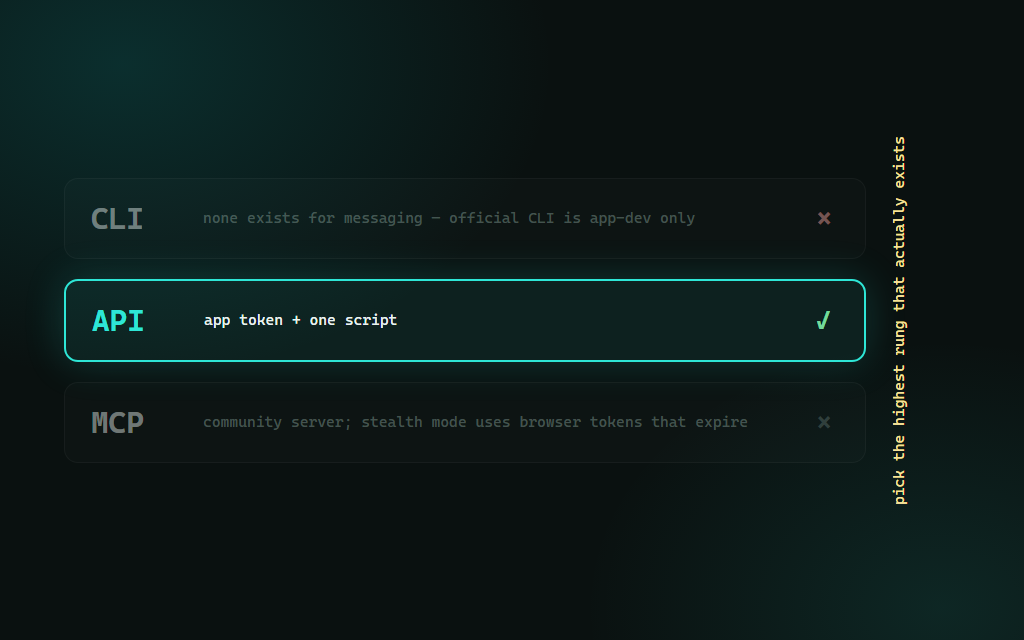
> Wire Slack into the AIOS. Check what already exists before you write anything — CLI first, then API, MCP last.
No real Slack messaging CLI exists — the official slack CLI is app-development only, not a message client. There's a community MCP server, but its stealth mode uses browser session tokens (xoxc/xoxd) that expire the way the scraped cookies did. Recommending rung two: a Slack app + the Web API, wrapped in one script.
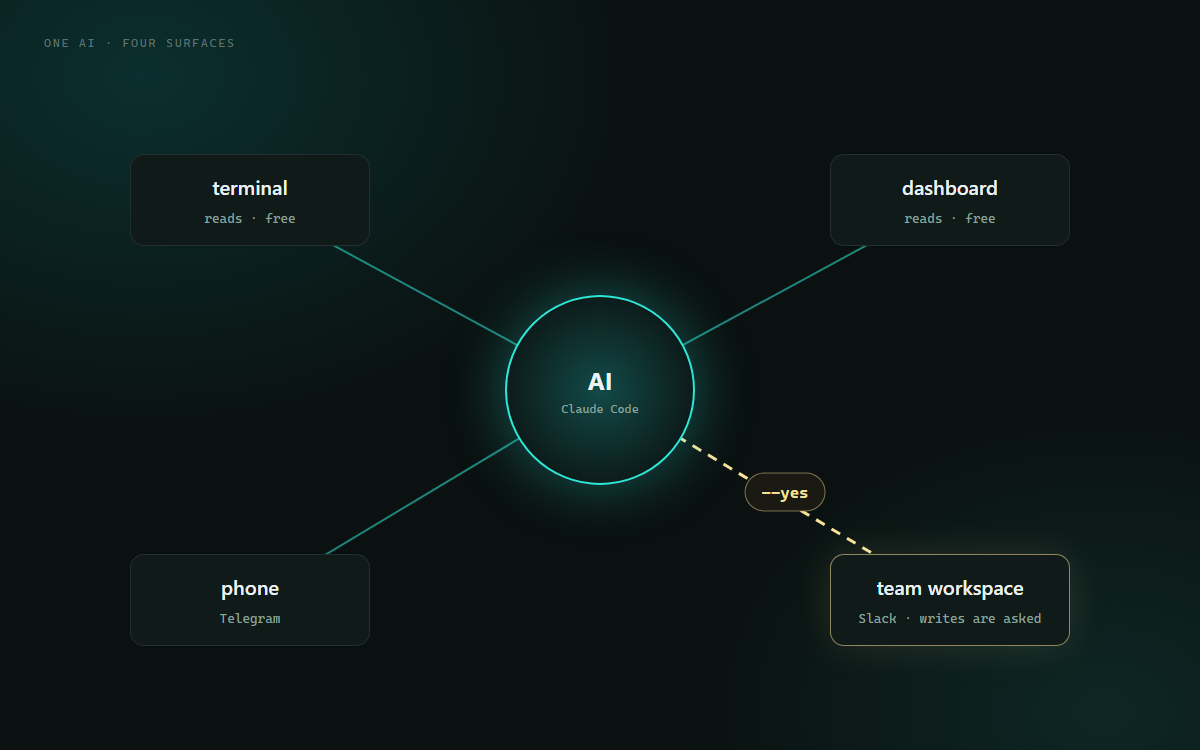
One AI core with four connections drawn out to a terminal, a dashboard, a messaging app and a team workspace, with a single gate marked on the outgoing arrow to the workspace
4 surfaces · 1 gate
more reach, same guardrail
02 259 lines, eight verbs

Seven commands read. One writes — and it refuses by default.

scripts/slack_client.py is a thin wrapper around the Slack Web API with eight subcommands: auth, channels, history, thread, search, users, send, edit. The first six are read-only and unguarded — the AI can use them freely, mid-sentence, without asking, because nothing they do is visible to anyone but me.

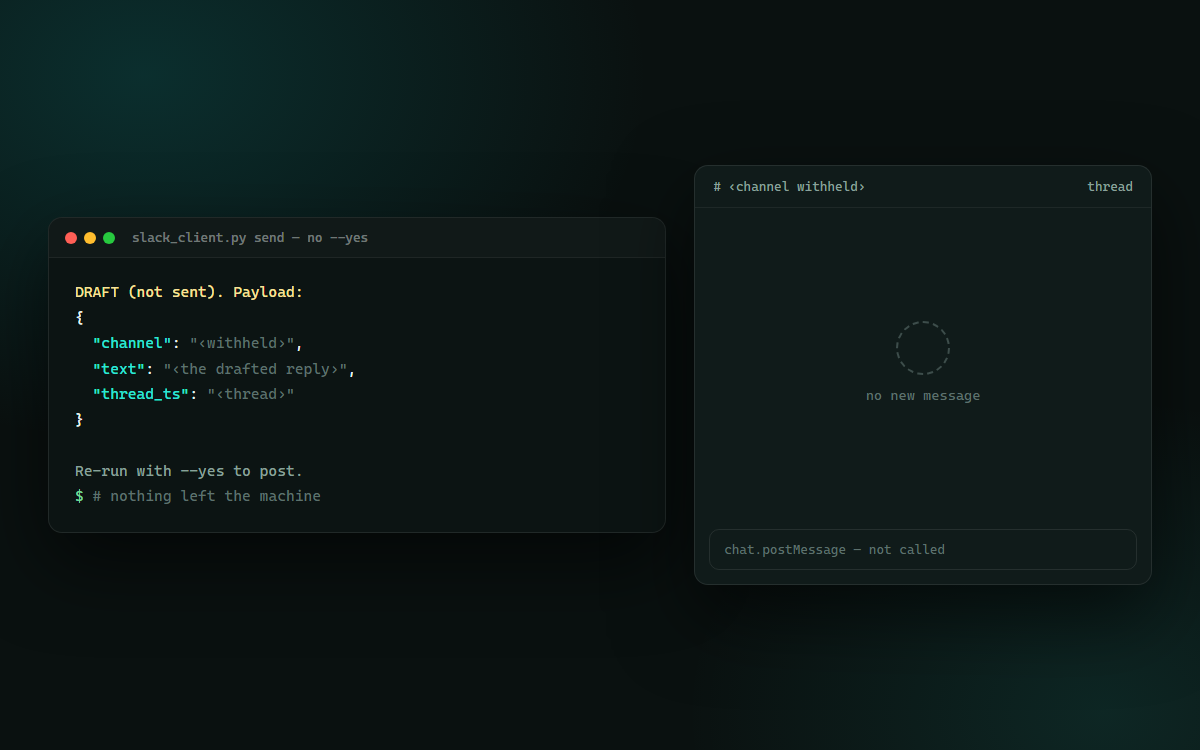
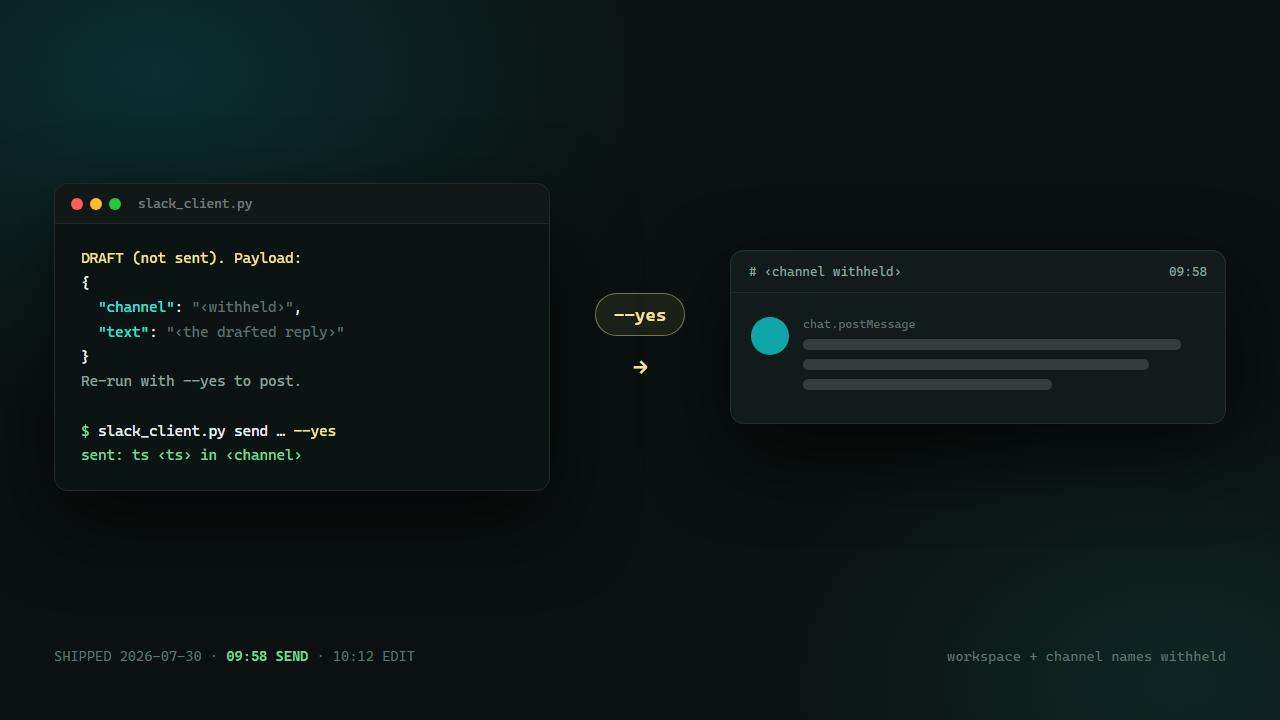
The last two are the whole design. send without --yes doesn't send. It builds the exact API payload, prints it as JSON, and exits with a line telling you how to actually mean it. There is no confidence threshold, no "obviously safe" branch, no auto-approve for short messages. The gate isn't a warning I can click through while distracted — it's a different command. The AI drafts; a human re-runs it. That's the entire contract, and it fits in four lines of Python.

slack_client.py — the gate, in full
def cmd_send(args):
    cid = resolve_channel(args.channel)
    payload = {"channel": cid, "text": args.text}
    if args.thread:
        payload["thread_ts"] = args.thread

    if not args.yes:
        print("DRAFT (not sent). Payload:")
        print(json.dumps(payload, indent=2))
        print("\nRe-run with --yes to post.")
        return          # ← nothing left the machine

    d = call("chat.postMessage", **payload)
    print(f"sent: ts {d['ts']} in {d['channel']}")
Note what isn't there: no if confidence > 0.9, no allow-list of "safe" channels, no env var that turns the check off. The only path to chat.postMessage runs through a flag a human typed.
A terminal printing a JSON message payload under a DRAFT not sent heading, with a re-run instruction below it and no message visible in the chat window beside it
draft · nothing posted
the payload you're about to mean
03 The part that went wrong

A token got pasted where it shouldn't, and it took the whole encrypted file down with it

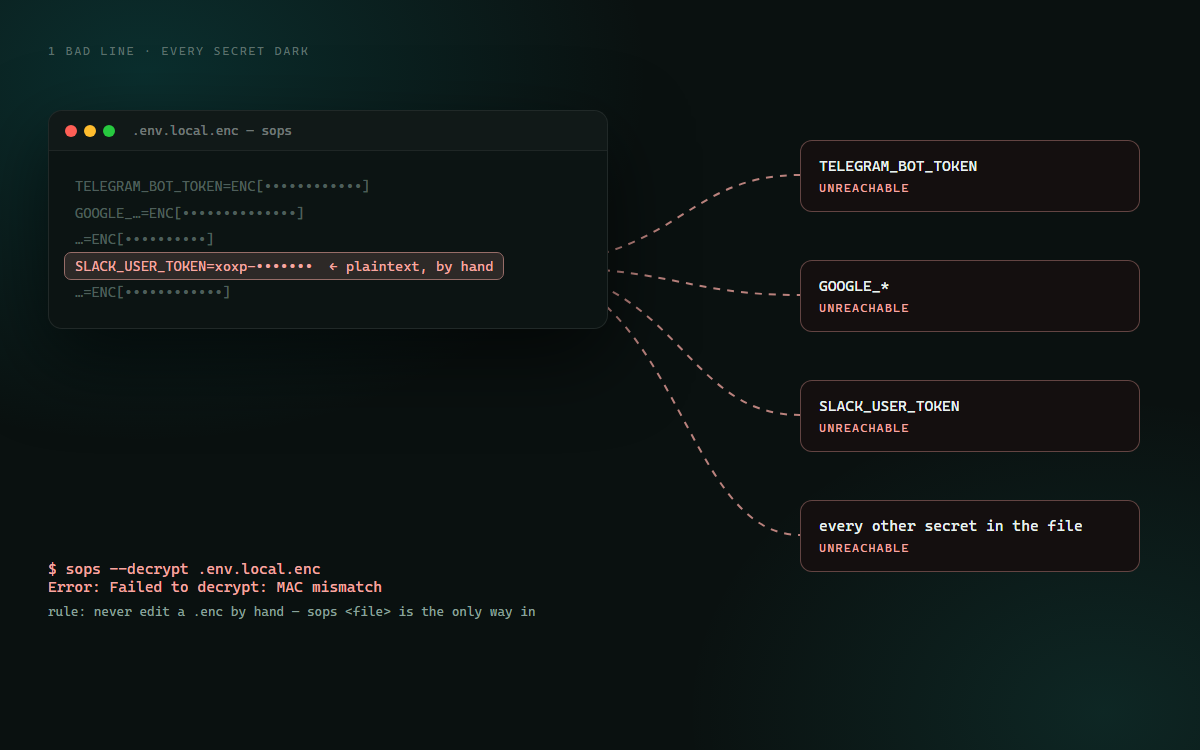
Secrets in this system live in .env.local.enc — a sops-encrypted dotenv that gets committed encrypted, on purpose, as an off-machine backup. During setup the new Slack token was pasted straight into that file as a plaintext line. Which does not fail loudly. It fails later: sops now can't decrypt the file at all, so every other secret in it goes dark too. The Telegram listener would have died on its next restart, for a reason that has nothing to do with Telegram.

The repair was unglamorous — pull the stray line back out, verify the remainder still decrypts, re-encrypt the merged file end to end in UTF-8, keep the broken versions as timestamped backups. The rule that came out of it is one sentence: never hand-edit an encrypted file. Use sops <file>, or let a script do the merge. And the interim bot token that had been exposed along the way was revoked — which itself had a lesson in it (see the gallery: bot tokens have no Regenerate button).

the failure, and the repair
# what happened: a plaintext line, appended
# by hand, into an encrypted dotenv
$ sops --decrypt .env.local.enc
Error: Failed to decrypt: MAC mismatch

# blast radius = every secret in the file,
# not just the new one
TELEGRAM_BOT_TOKEN   unreachable
GOOGLE_*             unreachable
SLACK_USER_TOKEN     unreachable

# repair
1. extract the stray line
2. verify the remainder decrypts
3. re-encrypt merged, UTF-8 end to end
4. keep both broken versions as .bak

# rule: never edit a .enc by hand.
$ sops .env.local.enc   # ← the only way in
The scary part isn't losing a Slack token — it's that the damage lands on unrelated services, at restart time, hours after the mistake, when nothing in your head connects the two.
An encrypted file with one plaintext line highlighted, and dashed lines from it to four unrelated service names all marked unreachable
1 bad line · every secret dark
the blast radius of a hand-edit
⚠️

Committing an encrypted secrets file is a deliberate trade, not a best practice

This repo commits .env.local.enc on purpose — it means a dead laptop doesn't take the credentials with it. The cost is honest: the ciphertext is now permanently in git history, so its safety rests entirely on the age key never being committed and on rotation being real rather than theoretical. If you copy this pattern, copy the whole thing — encrypted-at-rest, key stored outside the repo, and a rotation you have actually performed at least once. Half of it is worse than neither.

04 Four things the docs don't tell you

Two token traps, one scope typo, one ladder

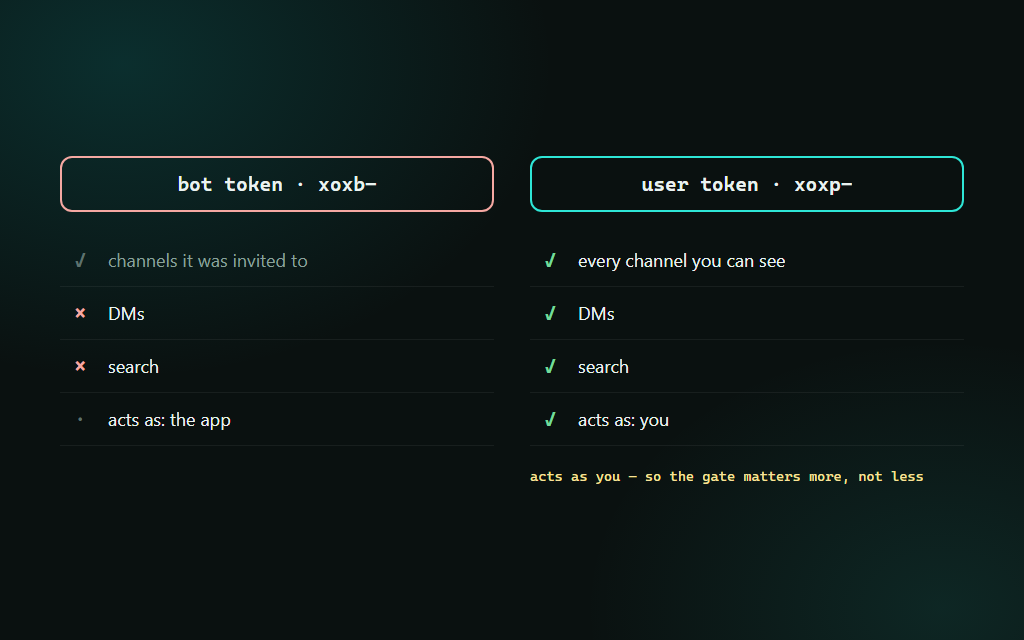
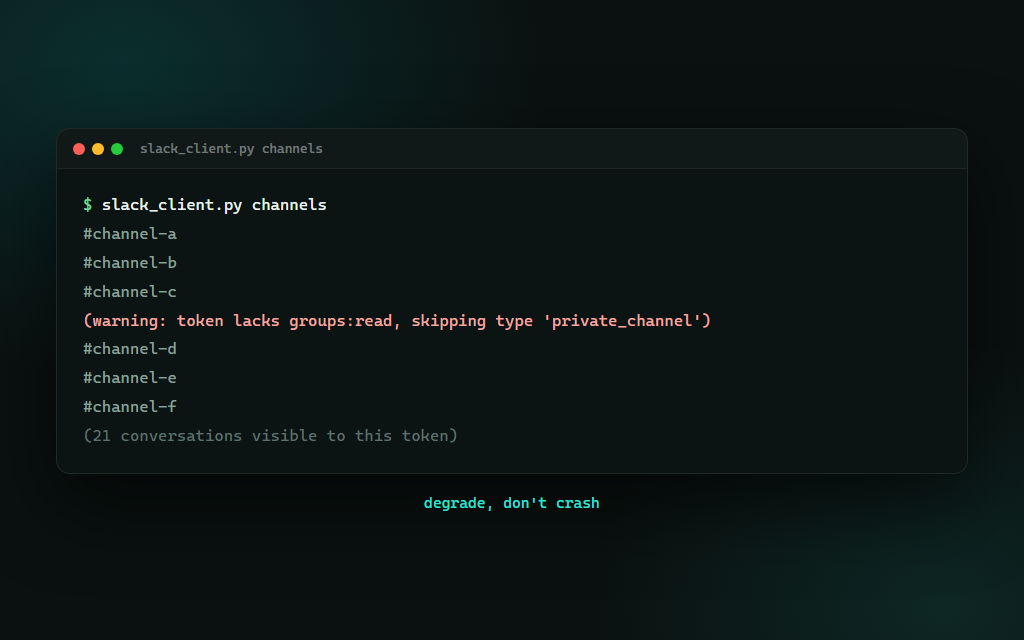
Most of the elapsed time on this build wasn't code. It was learning which token type can do what, and discovering that a missing permission is a thing you have to design around, not just fix. Tap any image to enlarge it and read the exact prompt that drew it.

SHIPPED 2026-07-30 · 09:58 SEND · 10:12 EDIT

Four characters stand between a good draft and a message other people read

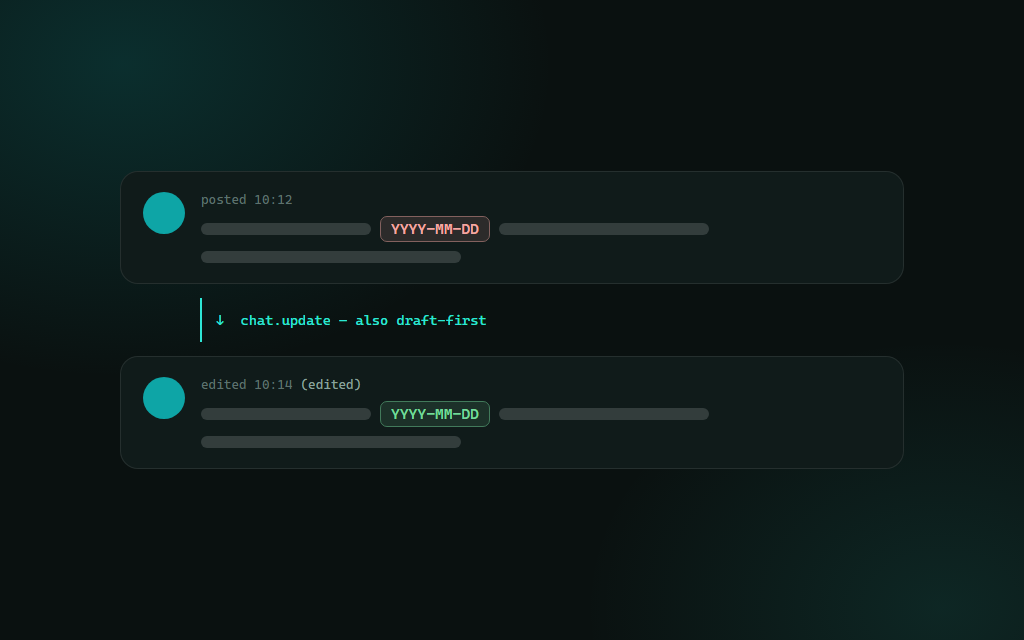
This is the whole demo: the AI reads the thread, understands what's being asked, writes a better reply than I would have — and then prints it and stops. I read it. I re-run the command with --yes. It lands. Two minutes later I spot a wrong date, and the AI edits the posted message in place rather than apologising underneath it — because edit shipped fourteen minutes after send did, and it's draft-first too. The point isn't that the AI is untrusted. It's that a shared workspace is other people's attention, and I'm not willing to spend that automatically. Every new channel this thing gets — terminal, phone, dashboard, now a team workspace — arrives with more reach and exactly the same rule.

A split view: a drafted message waiting in a terminal on one side and the same message appearing in a chat channel on the other, joined by a confirmation flag typed between them
slack_client.py 259 lines · commits a6c80a5 (send) + dd6e37f (edit) · token: sops-encrypted, user scope · workspace + channel names withheld
06 Steal this

Four rules for giving an AI a seat where other people are watching

The script is welded to my workspace and my token, so the copyable thing is the shape. These four rules are what make a write-capable integration something you can sleep next to. Everything in this episode is free and open — clone it, run it, make it yours.

rule the gate is a flag, not a warning rule reads are free, writes are asked rule degrade on a missing scope rule never hand-edit a secret
the pattern # 1. MAKE THE GATE A SEPARATE COMMAND. # if not args.yes: print(payload); return # Not a prompt you can hit enter through, not a # confidence threshold, not an allow-list. A human # re-runs it, or it does not happen. Four lines. # 2. SPLIT VERBS BY WHO CAN SEE THE RESULT. # Read commands touch nothing anyone else notices — # leave them unguarded so the AI actually uses them. # Gate only what lands in front of other people. # 3. DEGRADE ON A MISSING PERMISSION, DON'T DIE. # Catch the missing-scope error, drop the one type # you can't read, warn on stderr, keep going. A # half-visible workspace still beats a stack trace. # 4. NEVER HAND-EDIT AN ENCRYPTED FILE. # One plaintext line appended into a sops .enc makes # EVERY secret in it unreadable — and you find out at # the next restart of something unrelated. Use the # tool, or merge via script. Then rotate for real.

Rule 1 is four lines of Python and it's the whole episode. Comment SLACKSEAT on the post and the bot DMs you the pattern.

Next episode

It has read my inbox for months and has never sent a single email

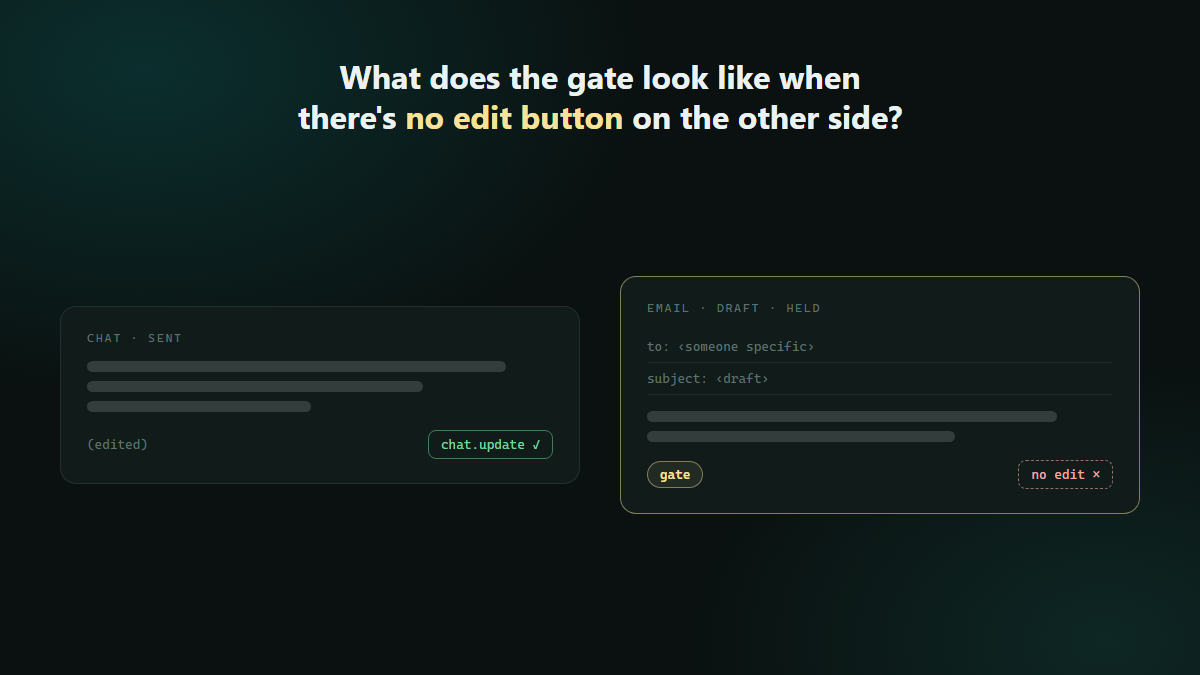
The household-costs scan reads Gmail every three days. The job-hunt tooling reads it too. But the send side has never been wired — and email is the one channel where a mistake is permanent, addressed to someone specific, and impossible to chat.update away. Slack got a gate that costs four characters. What does the gate look like when there's no edit button on the other side?

A drafted email held behind a gate with no edit control on the far side, contrasted with a chat message that still has one
drops soon · follow so you don't miss it