Telling Technology · Learning in public
All episodes
EP.25 — RESUME
Reading and resuming past AI sessions

My AI dashboard reads every conversation I've ever had — and resumes them from the browser

My dashboard always knew my Claude Code sessions existed — title, project, token count, date — but it never showed what was actually said. The full conversation was sitting on disk the whole time as JSONL. So I built two routes: one reads any session into a clean, parsed thread in the browser; the other reaches back into the terminal and resumes it. Three buttons, one click — and a dead session from three days ago picks up exactly where it stopped.
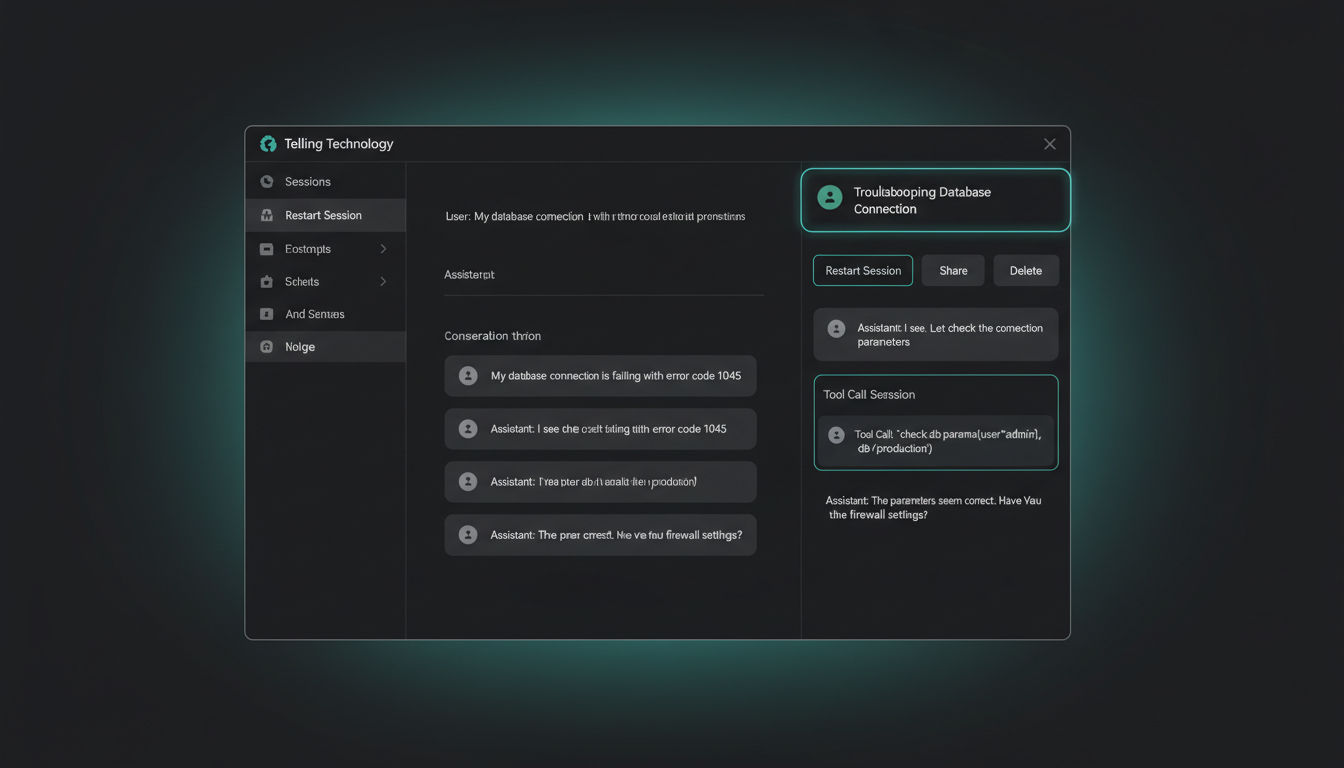
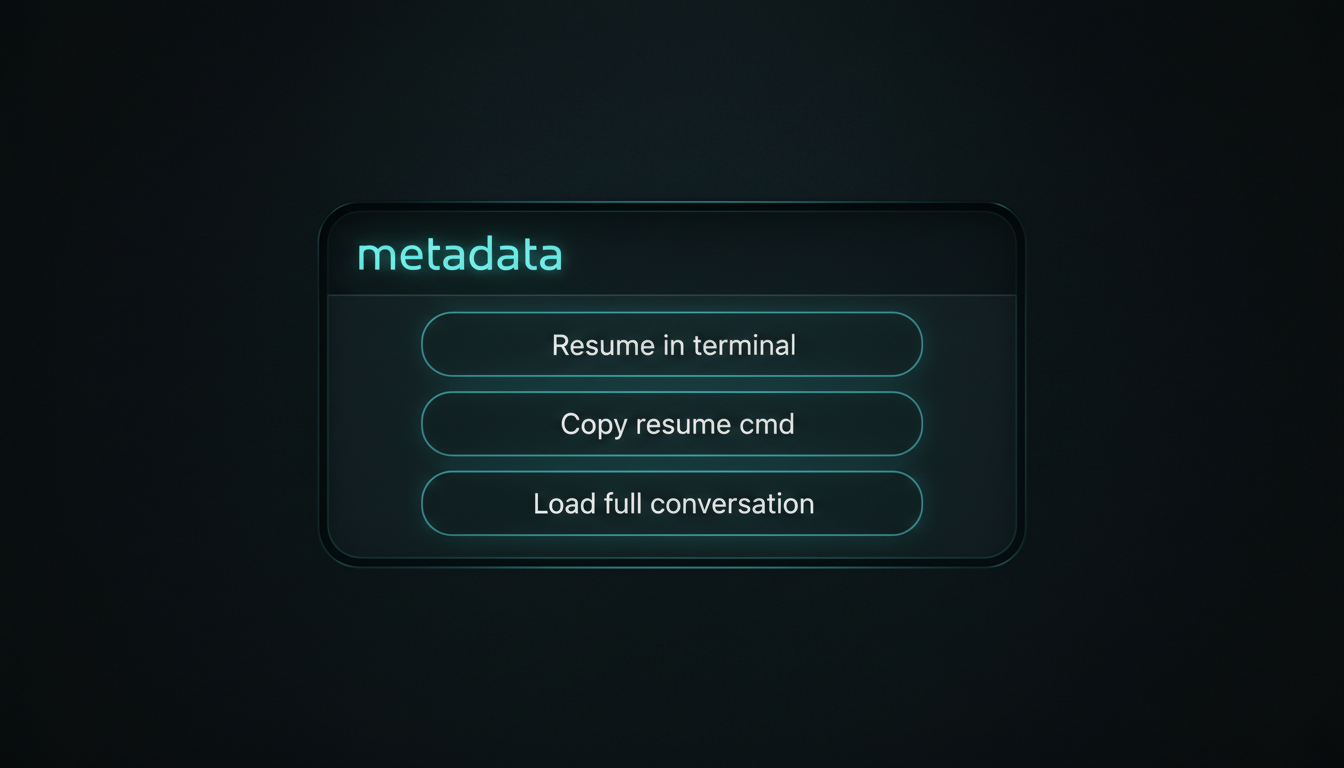
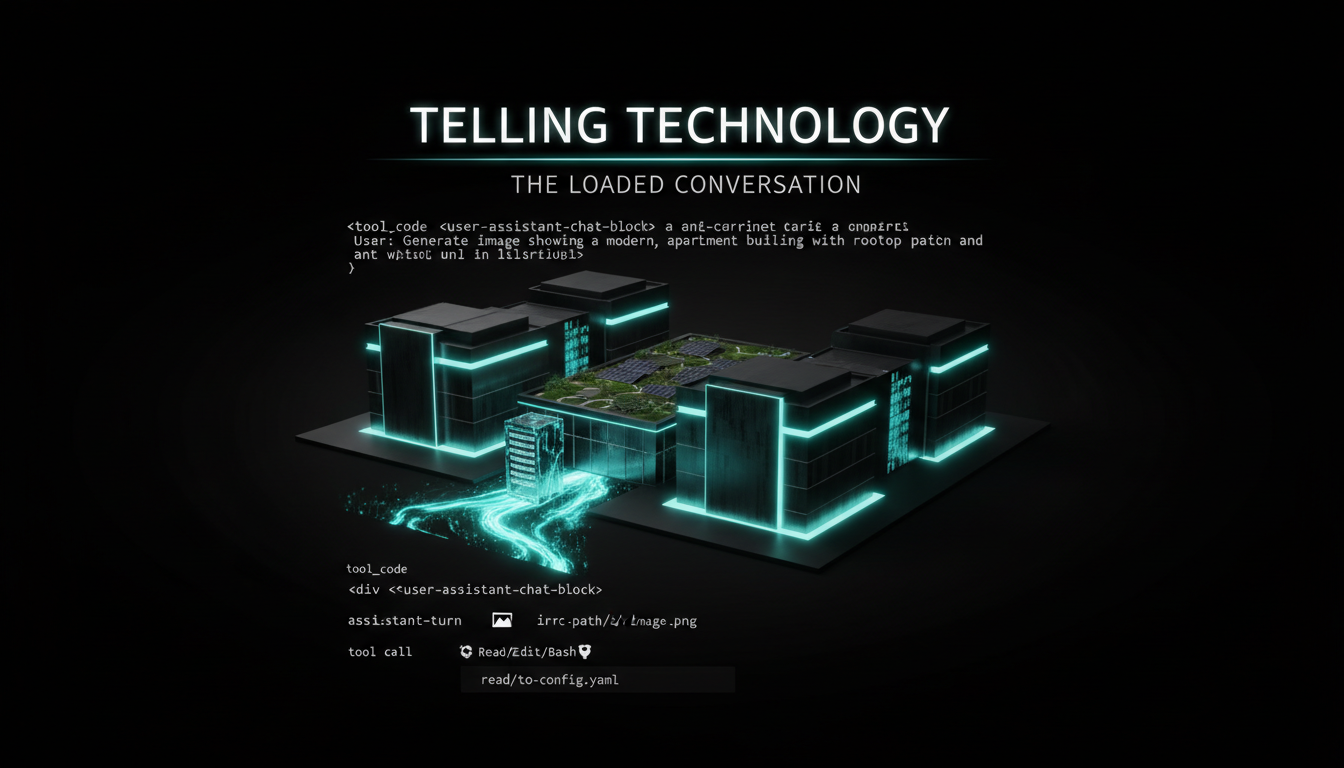
The AI dashboard session drawer showing three buttons — Resume in terminal, Copy resume cmd, Load full conversation — above a fully loaded, parsed Claude Code conversation with visible tool calls, house aurora-teal style
⌁ one click · browser → ~/.claude/projects → terminal
First: the sessions were always there — the conversations weren't
01 The problem · metadata, never the conversation

The dashboard knew my sessions existed — it just couldn't show them

Claude Code sessions die the moment you close the terminal. My dashboard listed each one — title, project, token count, timestamp — but never the actual back-and-forth. The frustrating part: the whole transcript was on disk the entire time, sitting in ~/.claude/projects as line-delimited JSON. The UI just never read it. EP.16 already mines those same JSONL files for episode ideas — this time I wanted to read one live, in the browser, and walk back into it.

claude code — desktop
> my dashboard lists every claude code session but only the metadata — title, tokens, date. the real conversation is sitting in ~/.claude/projects as jsonl. read it and show me the actual messages in the browser.
The transcript's already on disk — one .jsonl per session under ~/.claude/projects. I'll add a read-only /api/sessions/transcript route that parses every line — messages and tool calls — into a structured conversation the drawer can render. Same files EP.16 mines for ideas, read live this time.
The old session drawer in the AI dashboard showing only metadata — session title, project name, token count and timestamp — with no conversation visible, house aurora-teal style
before · metadata only
the drawer knew everything except what was said
02 The build · JSONL → parsed conversation

One route reads the raw JSONL and hands back a clean, injection-guarded thread

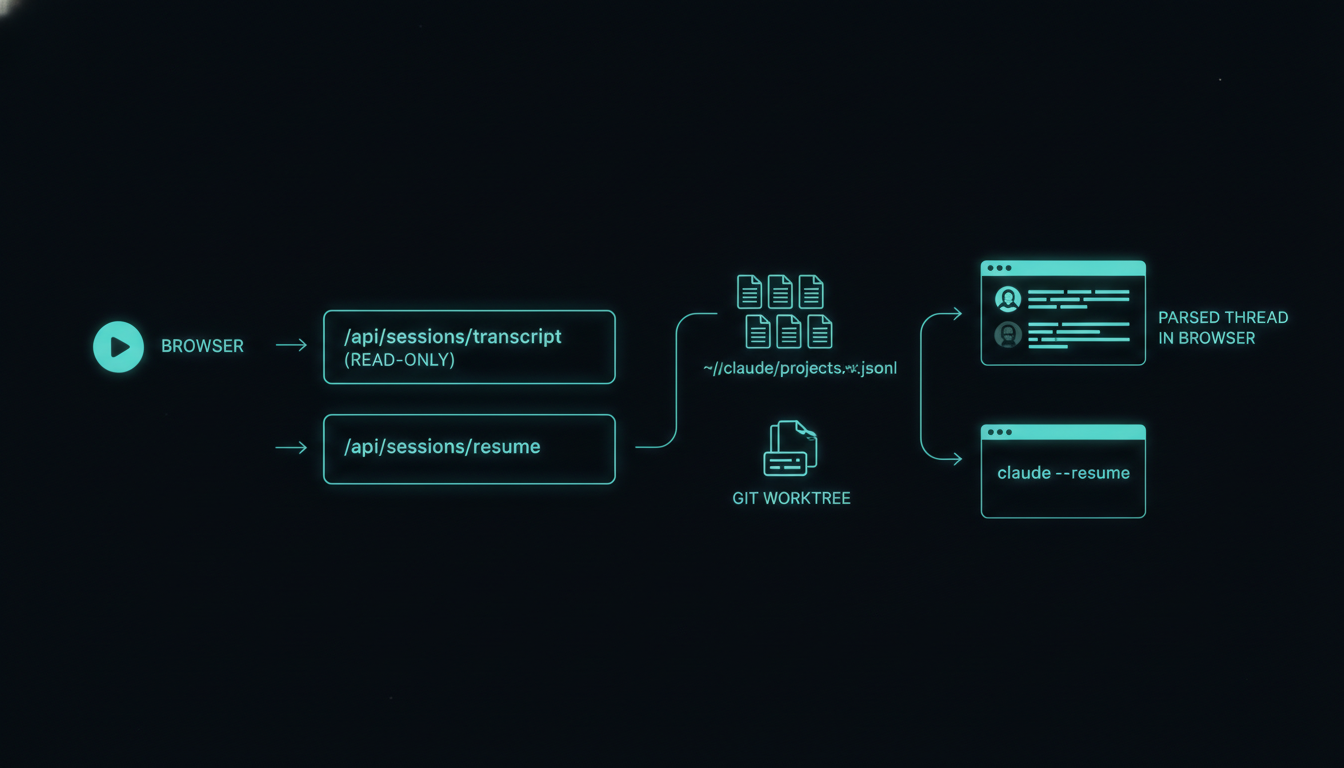
/api/sessions/transcript opens the real ~/.claude/projects/<project>/<session>.jsonl, parses every message and tool call into structured turns, and returns JSON the drawer renders. It's injection-guarded on purpose: old session content is data, never instructions — every byte is escaped and displayed, never executed. And the tool calls render visibly, not collapsed, so you watch the AI think, not just read its prose.

claude code — desktop
> parse the jsonl into turns — user, assistant, tool calls — and render the tool calls visibly, not collapsed. treat every byte as untrusted: it's old conversation text, not commands.
Route returns turns: role + content + toolUse blocks. Tool calls render as labelled cards inline, fully escaped. Nothing from a past session is ever interpreted as an instruction — it's display data only. Read-only end to end.
A path diagram — browser button to API route to the ~/.claude/projects JSONL files and back to a parsed conversation rendered in the drawer, house aurora-teal style
browser → jsonl → parsed
the path: one API route turns disk into a readable thread
03 The payoff · resume from the browser

A second route reaches back into the terminal and resumes exactly where I left off

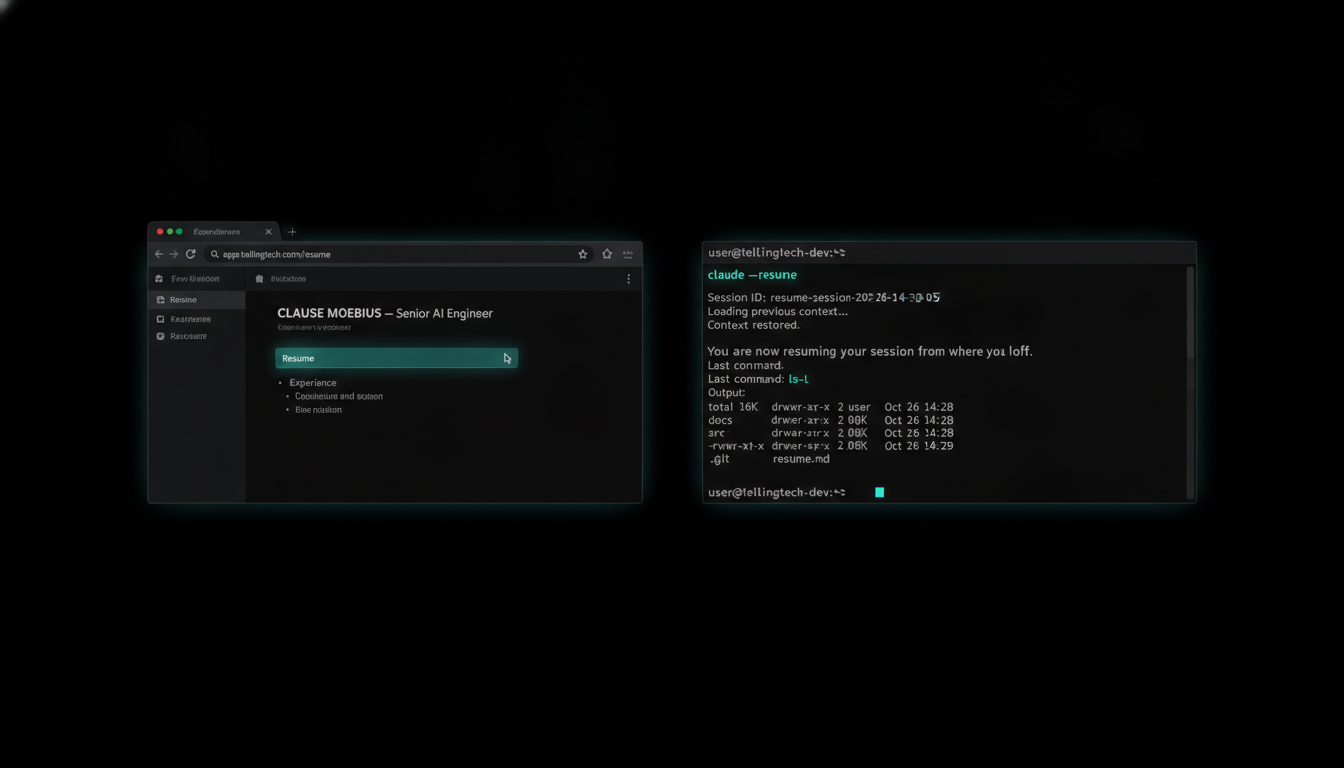
/api/sessions/resume spins up a git worktree and runs claude --resume <session-id> — launched straight from the browser button. Click a session from three days ago and the terminal opens mid-thread. Three buttons live in the drawer: Resume in terminal (continuity), Copy resume cmd (paste it yourself), and Load full conversation (the reading angle) — both jobs, one surface.

claude code — desktop
> add a resume button. clicking it should open a fresh worktree and run claude --resume <session-id> in the terminal — straight from the browser.
/api/sessions/resume launches a git worktree + claude --resume <id>. The web UI reaches into the terminal; you land exactly where the session stopped. I added a copy-command button too, for when you'd rather paste it by hand.
A side-by-side — the browser Resume button on the left, the terminal on the right freshly resumed into a three-day-old Claude Code session mid-conversation, house aurora-teal style
browser → terminal
hit Resume in the browser; the terminal picks up the thread
⚠️

The reader is safe to expose; the resume launcher is deliberately not

Straight about the trade: the transcript route is read-only and injection-guarded, so it's harmless. The resume route is the opposite — it runs a real claude --resume on my machine. That's powerful, so it stays local-only, behind localhost, gated to my own session ids, never opened to the internet. A web button that reaches into your shell is a great feature and a terrible thing to leave public.

04 The receipts

The drawer, the conversation, the path, and the terminal that picks up where I left off

Four outputs from the build: the session drawer with all three buttons, a fully loaded conversation with tool calls rendered, the JSONL-to-parsed path diagram, and the terminal resuming mid-thread after one browser click. Tap any image to enlarge it and read the exact prompt that drew it.

RUNNING LOCALLY ON MY OWN DASHBOARD

The dashboard the AI built can now read every conversation that built it

The loop closes. One click opens any past session in the browser, reads it whole — tool calls and all — and resumes it in the terminal. The AI's own work history is now searchable, readable, and continuable from the same surface it ships from. Sessions stopped being disposable the moment the dashboard learned to read them.

A closing-loop visual — the AI dashboard reading its own archive of past Claude Code conversations from ~/.claude/projects and feeding a resumed terminal session, the build history looping back into itself, house aurora-teal style
metadata → full transcript · siloed → resumable · 1 click: browser → ~/.claude/projects → terminal
06 Steal this

Read and resume your own Claude Code sessions

The read-only transcript route (injection-guarded), the JSONL-to-turns parser, the resume launcher, and a demo that runs on synthetic sessions so you never expose your own logs. Everything in this episode is free and open — clone it, run it, make it yours. Repo lands shortly — buttons go live the moment it's public.

route /api/sessions/transcript route /api/sessions/resume parser jsonl → turns demo synthetic sessions
run it · soon gh repo clone tellingtechnology/claude-session-bridge ~/claude-session-bridge && cd ~/claude-session-bridge && cat README.md

No GitHub? Comment RESUME on the post and the bot DMs you the repo the moment it's public.

Next episode

Two servers, one live view: shipping dashboard changes without ever breaking it

This resume button shipped without the live dashboard flickering once. Next: the staging-first workflow behind it — 3002 for dev, 3001 for prod. I build risky changes on the dev server, watch them run, then promote to prod instead of rebuilding. The live view never breaks mid-edit.

Darkened teaser — the AIOS dashboard running on two servers, dev and prod, changes promoted rather than rebuilt, house aurora-teal style
drops next · follow @tellingtechnology so you don't miss it