Telling Technology · Learning in public
EP.06 · YOUR WORLD
claude.ai/design · the overlay

I put my world on it.

Last drop, an AI built me a planet. This drop, it became mine — 1,782 LinkedIn contacts streaming onto the globe as a living layer, real packet routes racing to Cupertino, Nairobi and São Paulo, and one toggle that flips it all back off.

⌁ live · my network, streaming at 22 names/sec
It started with one greedy question ↓
01 The greedy question

"What can I add so it would be amazing?"

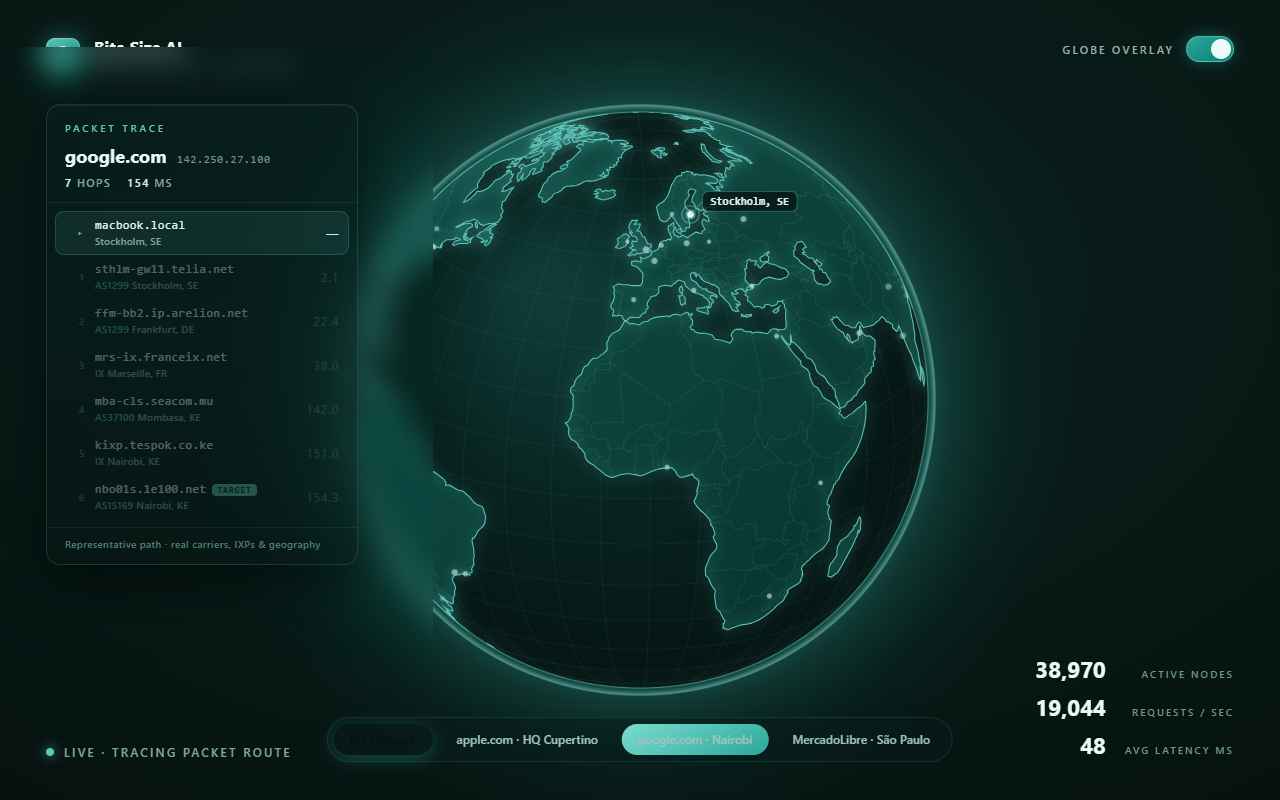
The globe from drop 01 was done. So I asked the laziest, greediest product question there is — and pointed at tracert, the 30-year-old network tool that lists every router your data hops through. It came back with real internet geography: actual carriers, exchange points and AS numbers, animated hop by hop.

claude.ai/design — chat
> what can I add to this so that it would be amazing? Can you add e.g. the route that a tracert call is jumping across the globe, maybe how a normal apple.com web page request is jumping between nodes, can you find this data and add it accurately on the globe?
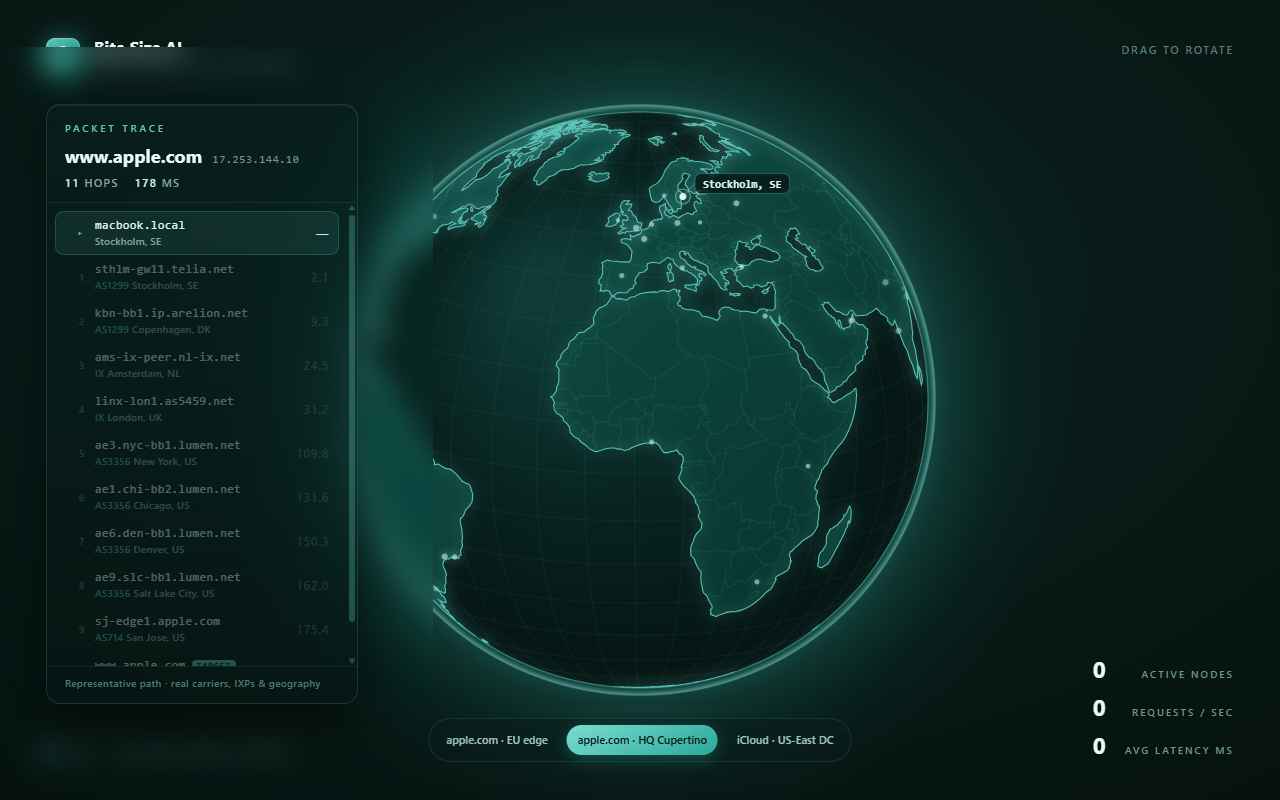
Built a live packet trace: a glowing comet rides great-circle arcs hop-to-hop while the globe re-aims to follow, with a traceroute panel listing every hostname, ASN, city and cumulative latency. Honest label included — the paths are representative, reconstructed from how Nordic traffic really routes, not captured off my machine.
Three routes · real geography
apple.com · HQ Cupertino11 hops · 178 ms
viaTelia → AMS-IX → LINX → transatlantic
google.com · NairobiSEACOM subsea → Mombasa → KIXP
MercadoLibre · São PauloEllaLink subsea → Fortaleza → IX.br
Carriers & ASNsArelion AS1299 · Lumen AS3356 · Apple AS714
02 The drop

1,782 people. One planet.

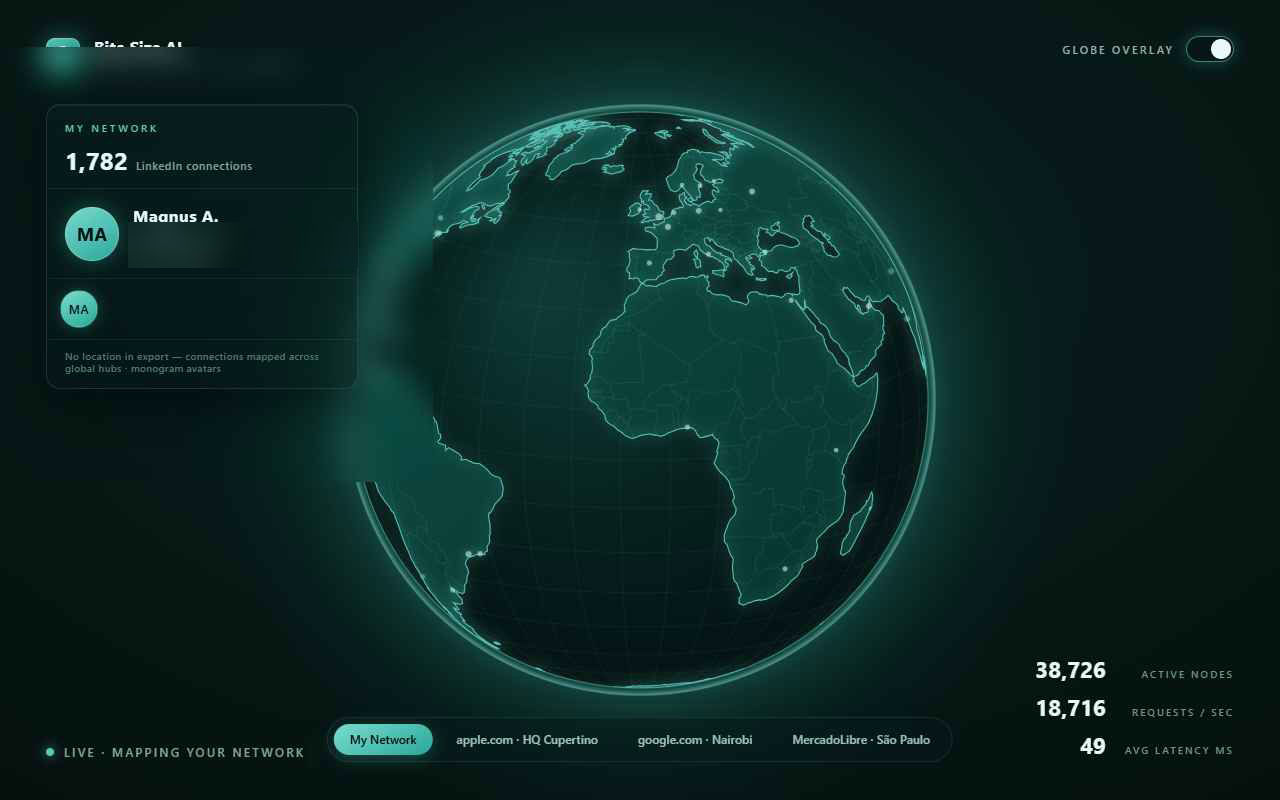
Then I made it personal: I exported my LinkedIn connections and dropped the file straight into the chat — contacts as visual layers on the globe, making it my world. The export carries no photos and no locations, so it improvised: clean monogram avatars as the "tiny pic", the network mapped across global hubs — and a master toggle, because I asked for a way back to the plain planet.

claude.ai/design — chat
> as the default overlay, add my list of LinkedIn contacts with first name (is there room for a tiny pic?), I've attached this list. Keep apple.com/HQ Cupertino, but replace the other two with something in Africa and something in South America. Make the overlay on the globe as toggle on / off. When toggled off the globe is normal and can be dragged and moved like before this addon.
Parsed 1,782 connections from the export. No location or photo data inside — so: monogram avatars, a globally mapped network, new Nairobi and São Paulo routes, and a Globe overlay switch top-right that fades everything away to the plain, draggable globe from drop 01.
What the export gave it
Connections1,782 parsed
Photosnone in export → monograms
Locationsnone in export → global hubs
Routes keptapple.com · HQ Cupertino
Routes newNairobi (Africa) · São Paulo (S. America)
Escape hatchtoggle off = plain globe
03 The steer

One message turned a card into a console.

The first version drew avatar bubbles and a reaching arc to a featured contact. Pretty — but not it. One steer later: no lines, super-thin pins standing off the surface, the globe back at its calm Earth speed, and the contact card swapped for a techy terminal streaming names a second, looping through all 1,782 — forever (later calmed to ~22/sec, with each row carrying playful non-personal telemetry instead of an employer).
claude.ai/design — chat
> for the My network part, no line is needed to travel to this person, a super thin pin is enough without , just rotate the globe using the normal speed, Exchange the screenshot to a terminal view instead.then place the connections 50 per seconds if possible. scrolling a list of first names and first letter of last names looking like a techy terminal output would look cool. Loop the list output in the terminal.
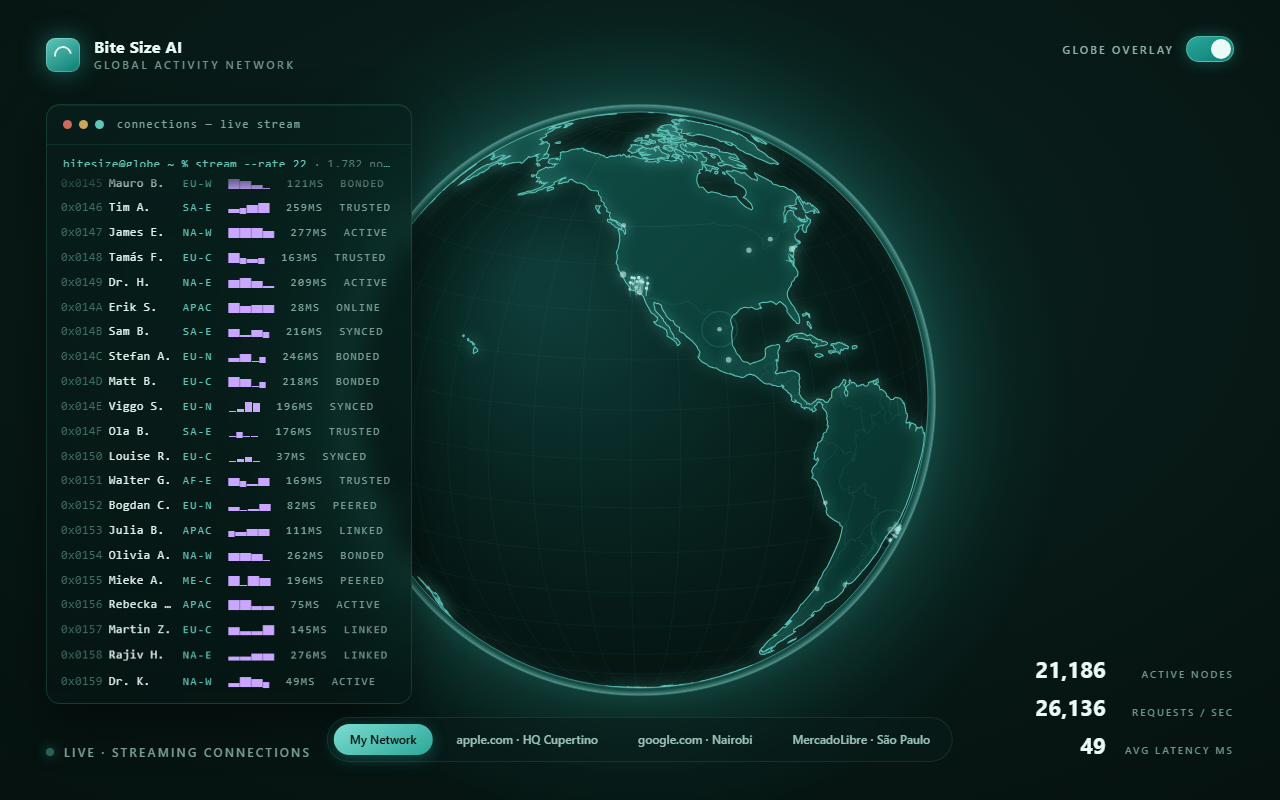
Dropped the arcs and avatars. Each connection is now a fine pin with a glowing head, radial off the surface. The panel became a monospace console — bitesize@globe ~ % stream --rate 50 — hex IDs, first name + last initial, looping with a soft fade at the top.
The finished overlay: thin pins on the globe and a terminal streaming names
the result, live
hex IDs, first names, last initials + live telemetry — 22/sec on loop
🔒

What I didn't put on the internet

The design chat saw my real LinkedIn export. The version running on this page ships a trimmed data file: first name + last initial only — every company name stripped out before publish. It's my world on the globe, not my contacts' data. If you steal this (please do), feed it your own export the same way.
04 The receipts

Every prompt, in my own words

No paraphrasing here — these are the actual messages I sent, and the images the tool worked from. Tap any image to enlarge it and read the exact prompt.

RUNNING LIVE ON THIS PAGE

Flip the toggle.

The overlay, embedded live. Watch the terminal stream all 1,782 names while thin pins ride the turning Earth, switch routes with the pills to race a packet to Cupertino, Nairobi or São Paulo — then hit Globe overlay top-right and it all fades back to the plain planet from drop 01. Drag it; it still spins.

claude.ai/design → d3-geo + Canvas 2D · 1,782 connections · 22 names/sec · 3 packet routes · one toggle off-switch
06 Steal this

Steal the overlay

Four files, zero build step. Open the HTML and it renders the planet, streams the terminal and races the packets — then swap connections.js for your own LinkedIn export and it's your world.

file index.html file globe.js file trace.js file connections.js (names trimmed — bring your own) deps d3 · topojson · world-atlas (CDN) licence yours to remix
run it start "" index.html # opens straight from disk — it fetches the map itself

No GitHub? Comment WORLD on the post and the bot DMs you the four files.

Next drop

Next: the globe becomes the show.

First it was a planet. Now it's my world. Next drop, it turns into the channel's opening title card — and I let Claude Code animate the whole intro sequence around it.

Learn things by not watching — ep07 teaser
drops next · follow @bitesizeai so you don't miss it