The disk was nearly full and could not tell me why. I did not want any tool near the delete key, so the AI got three commands: ls, find and du. It came back with a table, a page that adds up what I tick, and one number that did not add up.
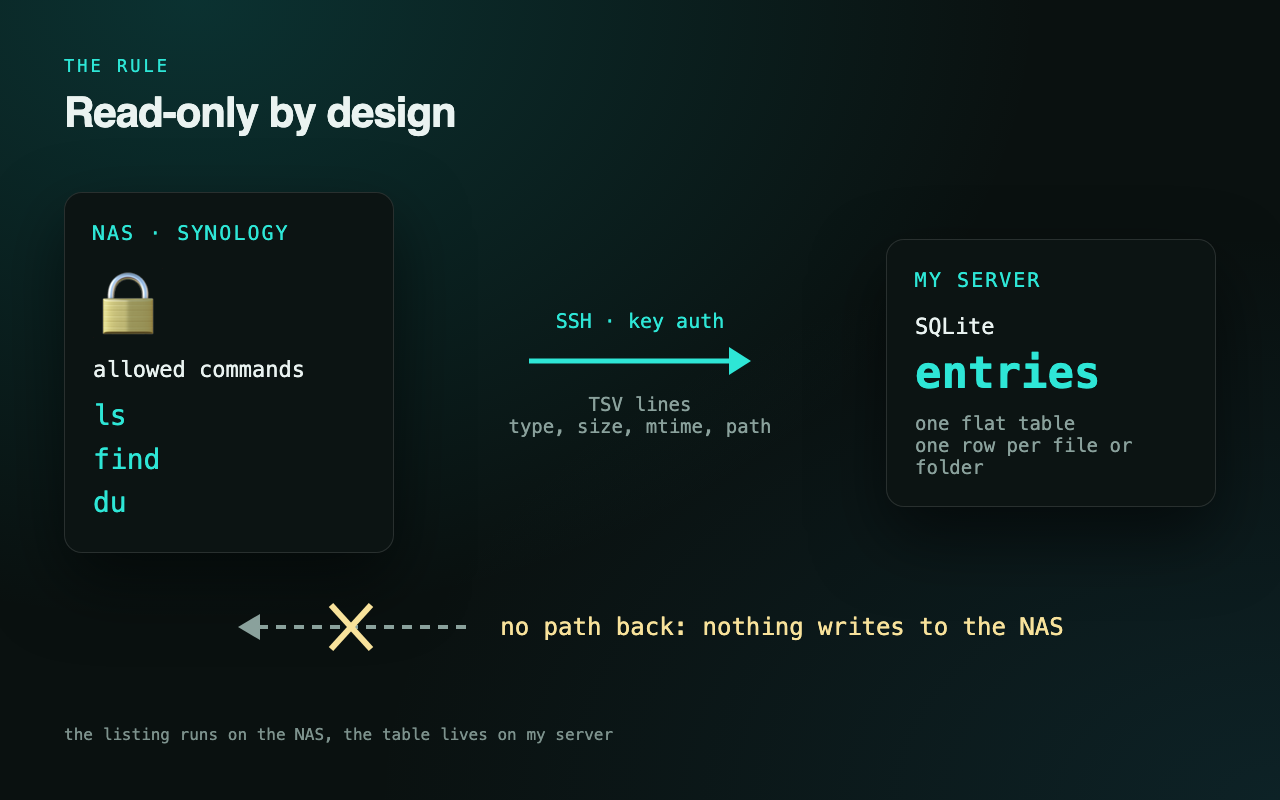
My Synology NAS has a 7 TB volume with about 600 GB free and two more volumes next to it, and I had no idea which folders were the weight. Every cleanup tool I looked at wants to help by deleting. So the rule came first: read-only by design. The listing runs on the NAS itself over SSH with key auth, using GNU find at disk speed instead of crawling the shares over the network. Only ls, find and du ever run there. Output goes into one flat SQLite table on my server. Deleting stays mine, by hand.
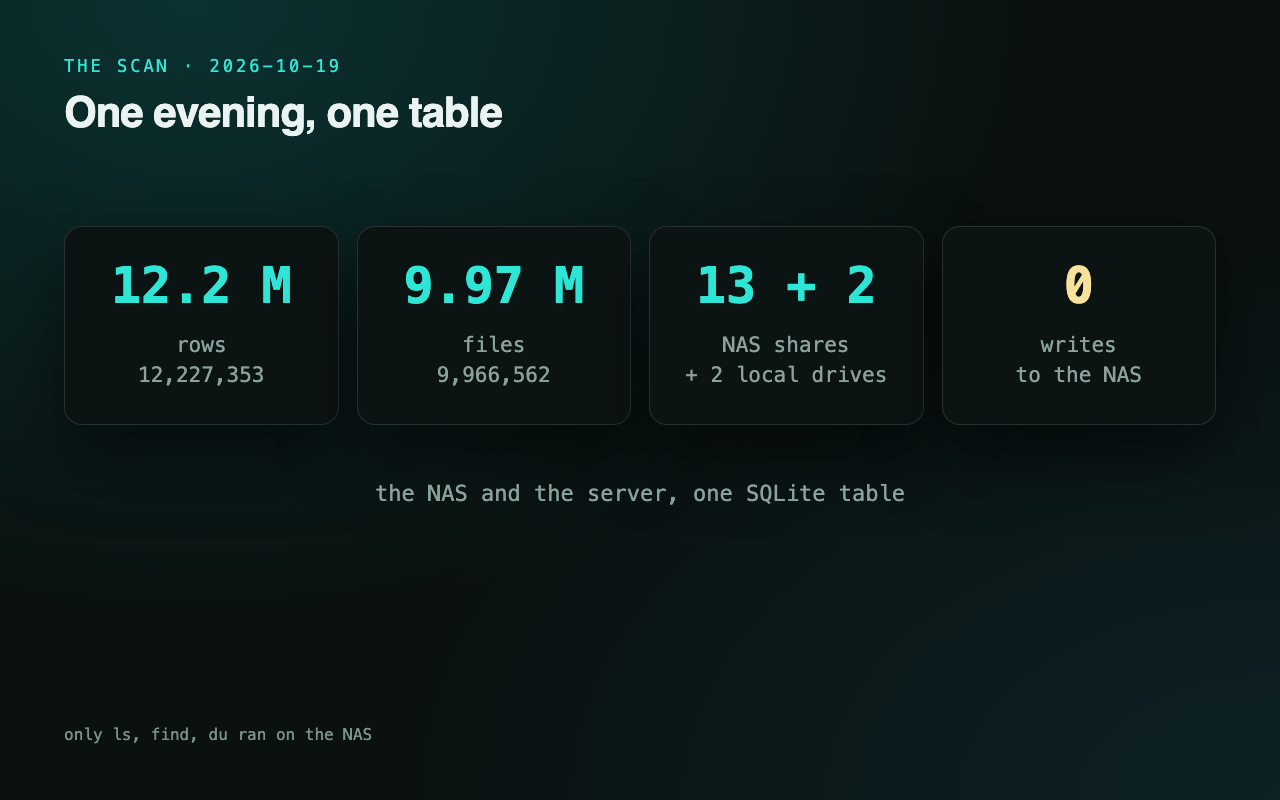
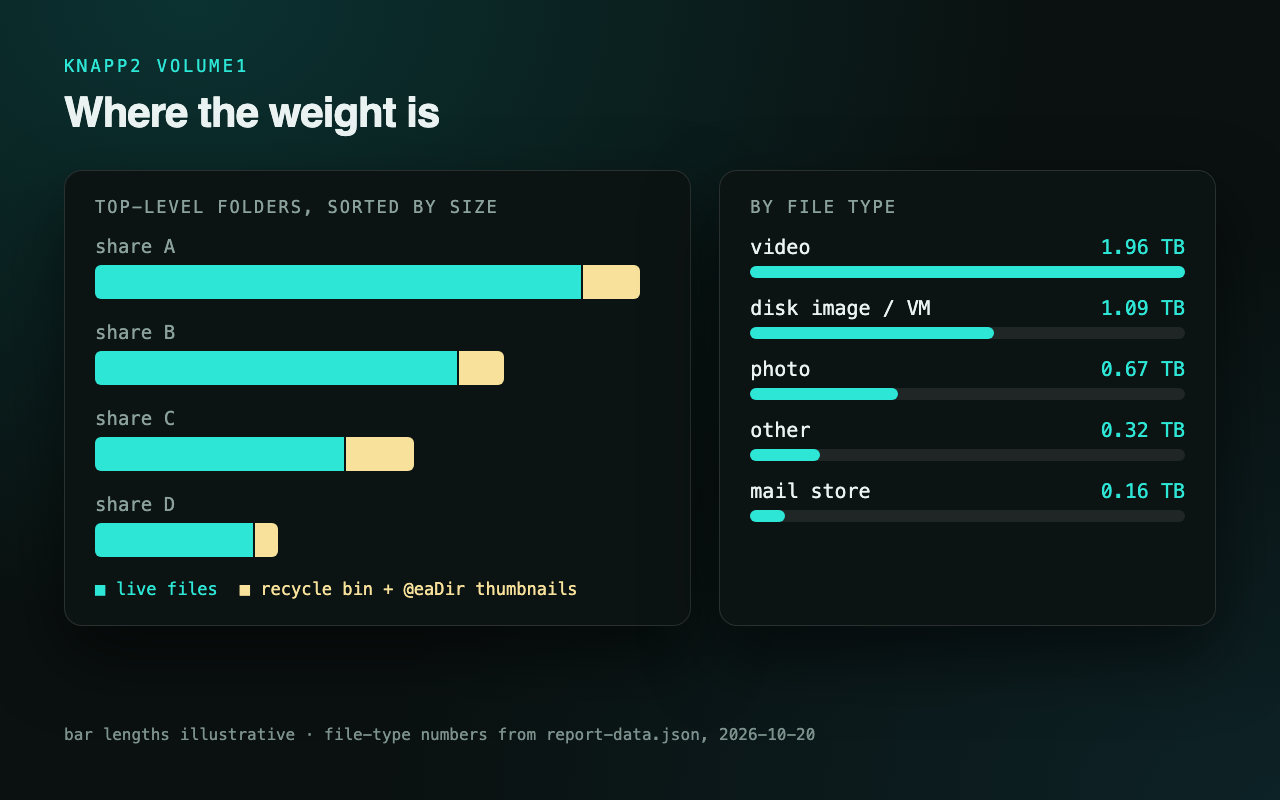
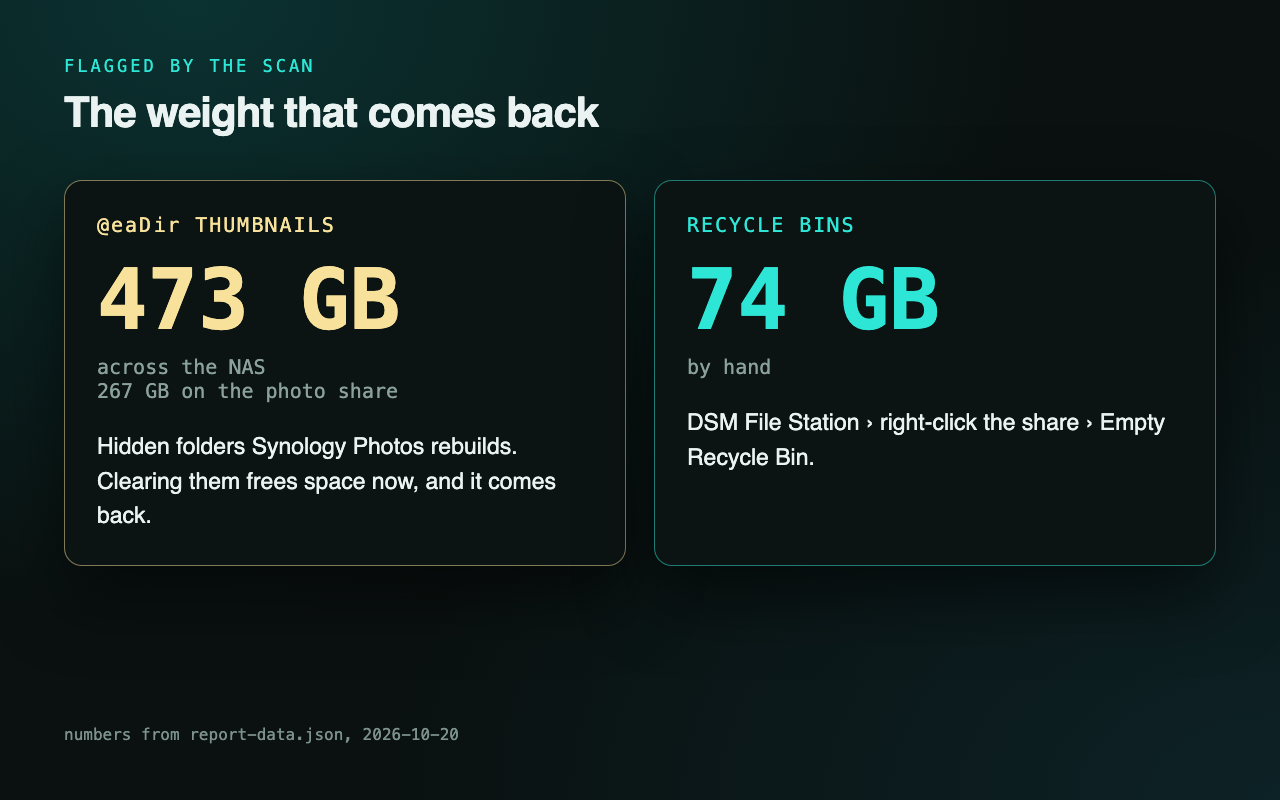
The full pass ran on the evening of 19 October: 13 NAS shares, then the same listing for my home server’s own C: and D: drives, so the NAS and the machine that runs my agents sit in one table and answer the same queries. Total: 12,227,353 rows, just under 10 million of them files. Every Synology quirk gets a flag instead of a guess: #recycle bins, the hidden @eaDir thumbnail folders, snapshots.
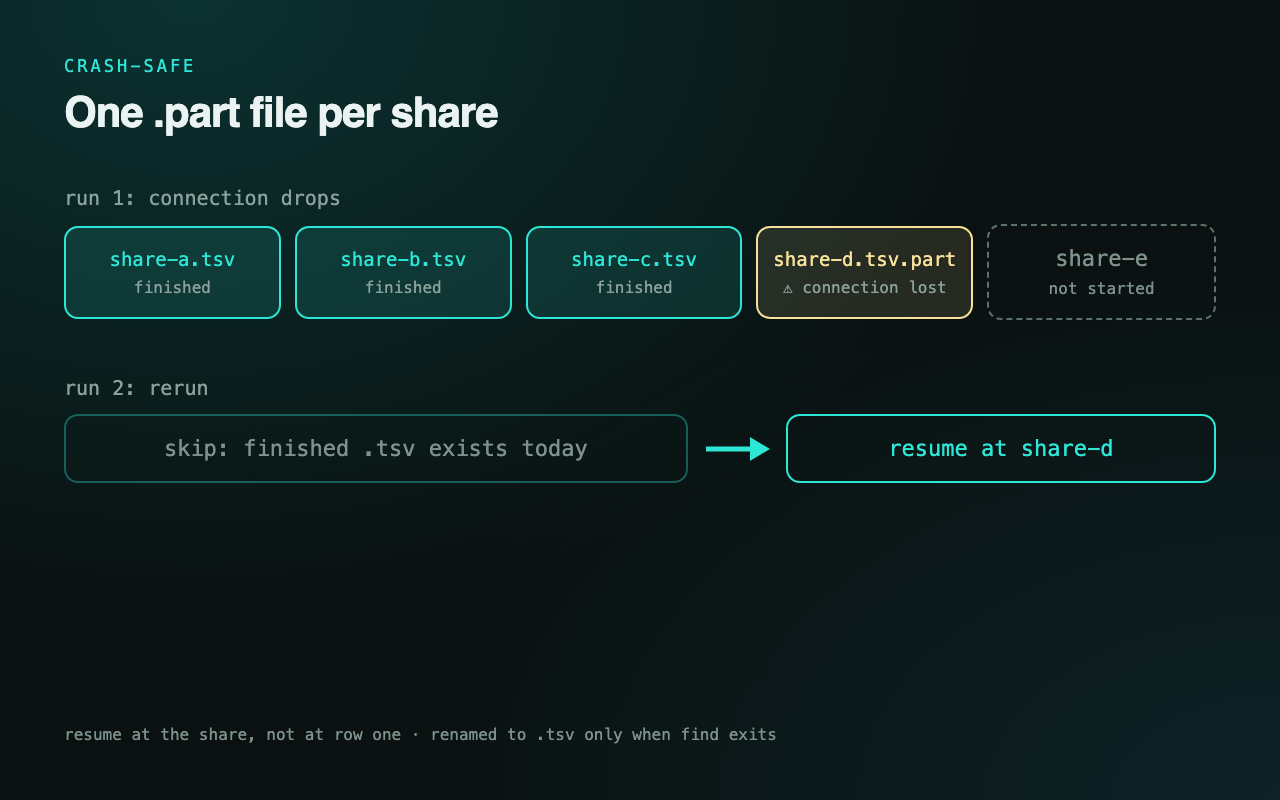
The first runs died in boring ways. Quoting: a find command has to survive PowerShell 5.1, then cmd, then ssh, then sh, and it did not. The fix was to stop quoting: write the remote script to a file and pipe it on stdin with sh -s. Stderr: in PowerShell 5.1 a native 2>&1 turns every warning into an error record and killed the run. The log: I opened it with tail -f, the log write threw, and the scan died silently. Now a log write can never abort the run. Then the real fix: each share streams into a .part file that is renamed only when it is complete, so a dropped connection never restarts 12 million rows, it resumes at the next share.
Honest part: the SSH key logs in as my own account, which could write if a script told it to. What keeps the NAS untouched is that the scripts only ever send ls, find and du, and nothing in the project has a delete path. A stricter setup would use a dedicated read-only user. The key was added for this scan, and removing it from authorized_keys is on my todo list now that the listing is done.
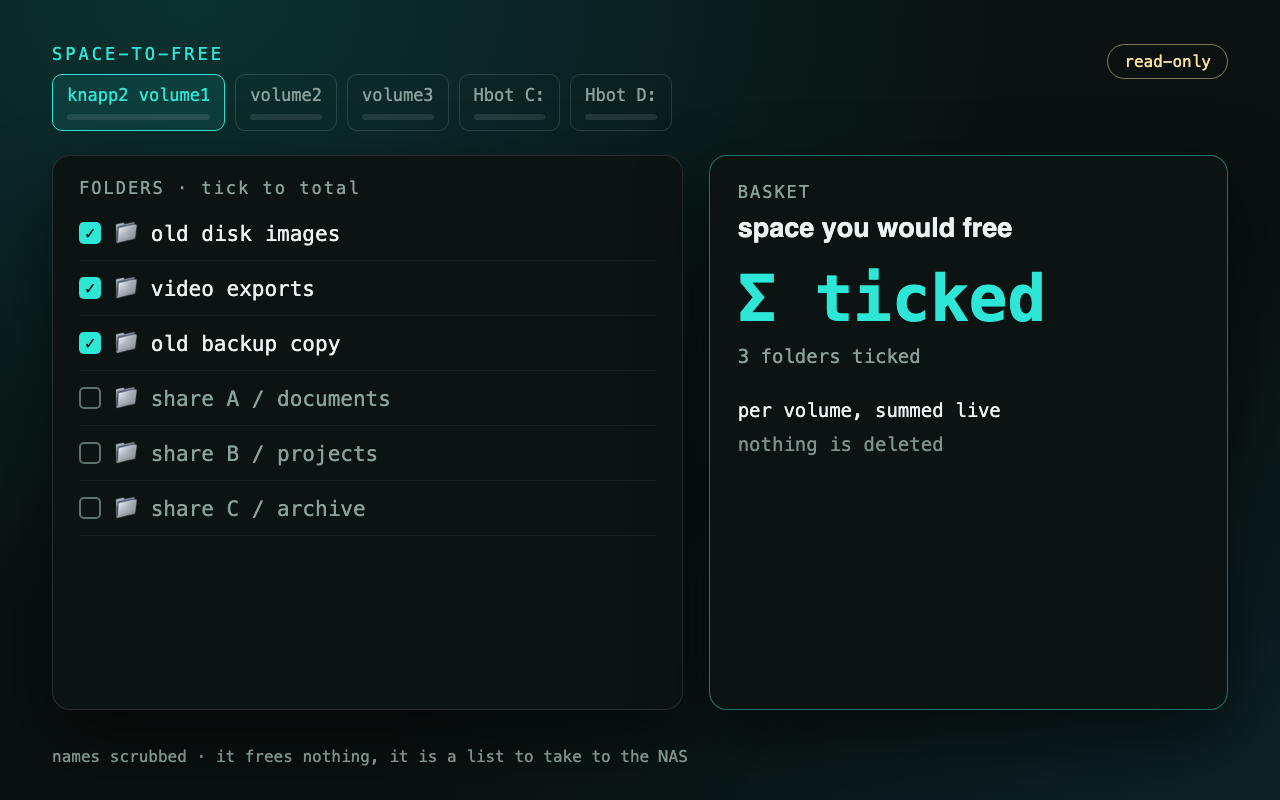
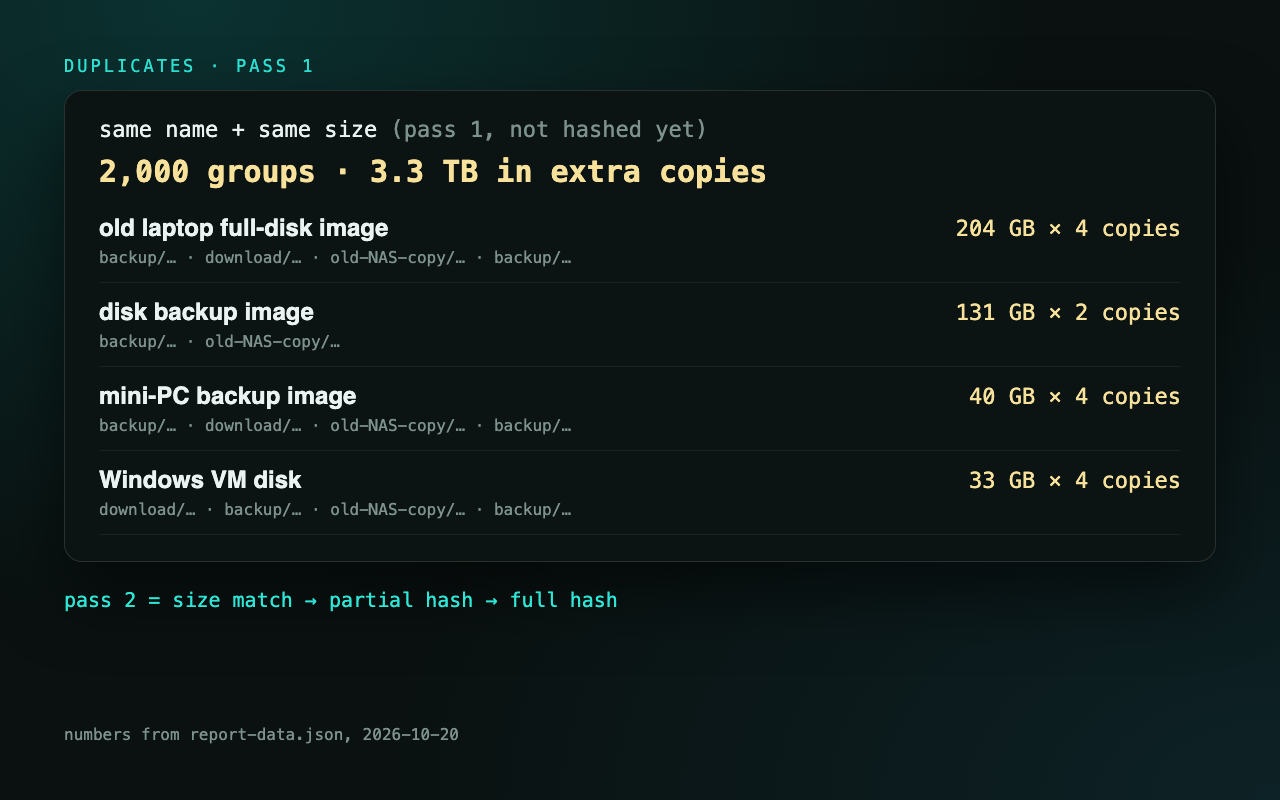
From the table, one self-contained page: a tab per volume with used and free, the biggest buckets by file type, a folder map you can drill into, duplicates by name and size, and the part I actually wanted: tick a folder and a running total shows the space you would free, per volume. It frees nothing. It is a list I can take to the NAS. The page passed the seven-viewport gate before I trusted it. Folder and file names are scrubbed in these pictures. Tap any image to enlarge it and read the exact prompt that drew it.


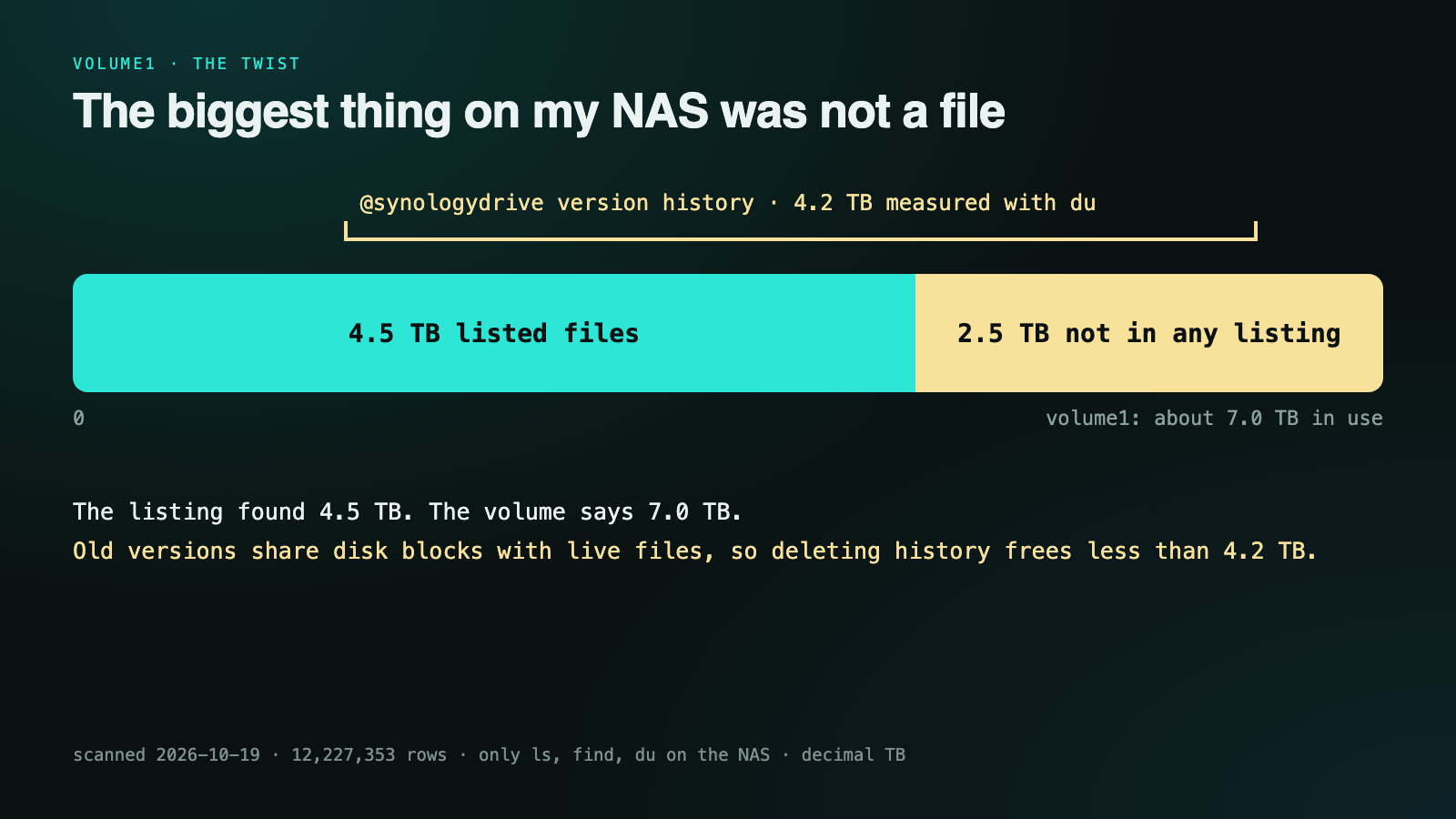
Then volume1 did not add up. Every file the listing found came to 4.5 TB; the volume reported about 7.0 TB in use. 2.5 TB was in no listing at all. The answer was a hidden system folder, @synologydrive: Synology Drive’s version history, every old copy of every synced file, and du measures it at 4.2 TB. It is bigger than the gap because old versions share disk blocks with the live files, so deleting history frees less than 4.2 TB. Where to start is Synology Drive’s versioning setting, not a folder delete. The AI never deleted anything. It built the list and the sum. The delete key stays with me.
Pictures only: the read-only rule, the 12.2 million-row scan, the page that sums what you tick, and the 4.2 TB folder no listing shows.
For anyone with a full NAS and no wish to hand an agent the delete key: list on the box itself, load one table, sum what you tick, delete by hand. Everything in this episode is free and open — clone it, run it, make it yours.
# repo soon. The shape: find on the NAS over ssh (script piped on stdin) → one TSV per share (.part until complete) → one SQLite table → a page that sums what you tick → you press delete, by hand
No GitHub? Comment READONLY on the post and the bot DMs you the link.
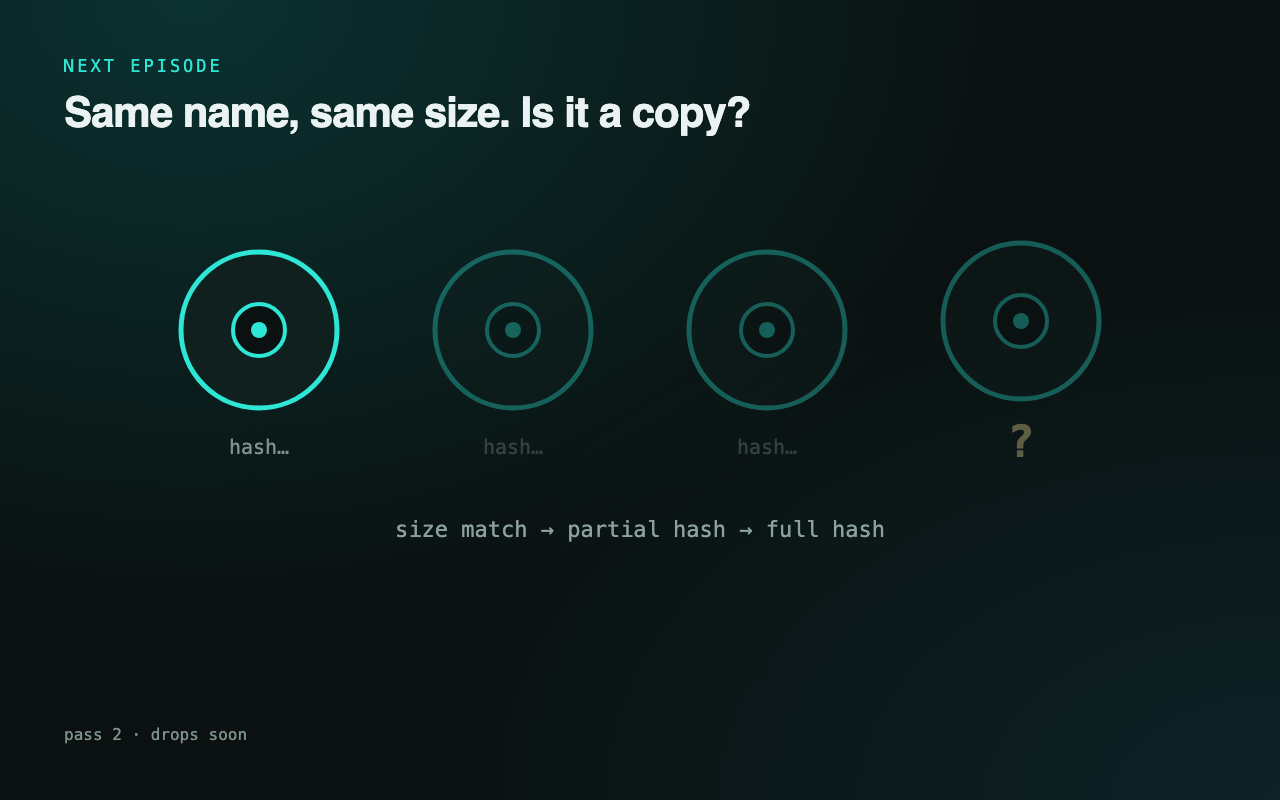
Same name and same size says 2,000 duplicate groups, led by one 204 GB disk image stored four times. Same name and size is a hint, not proof. Next: pass 2 hashes them, size match, then partial hash, then full hash, before anything gets called a copy.